Drop the folder.Own the number.
Why Estym8 exists
How Estym8 works
Drop the folder
A bid folder or a single drawing PDF.Estym8 classifies every file and runs takeoffs on eligible drawings.Typical takeoff runs (one drawing PDF or one queued discipline bundle) take about 15 minutes to 2 hours, depending on page count, symbol density, and model path; dense MEP sets or follow-on passes can run longer.Full bid-package folders usually queue several jobs, so total wall time adds up across runs.Draft, harvest, and flag
Counts, verbatim harvest, code mismatches, conflicts, and draft RFIs land on the project.ROM / WAG screens chase-vs-pass without a second ingest.You own every number
Review the workbook, overlays, and provenance.Confirm edits.Price the bid.Estee assists — she never owns the number.The loop keeps running
Narrative report, submittal packages, and the next folder use the same takeoff path.No restart when you promote a ROM to full.
Inside the workspace
Every project shows status, the next human action, and takeoff progress. It is a queue, not a feed.
Reads legends · counts drawn symbols · checks printed schedules
Westside medical office — bid package
Electrical · commercial TI
Open completed estimates to review counts and provenance. You still own the number.
Inside the app
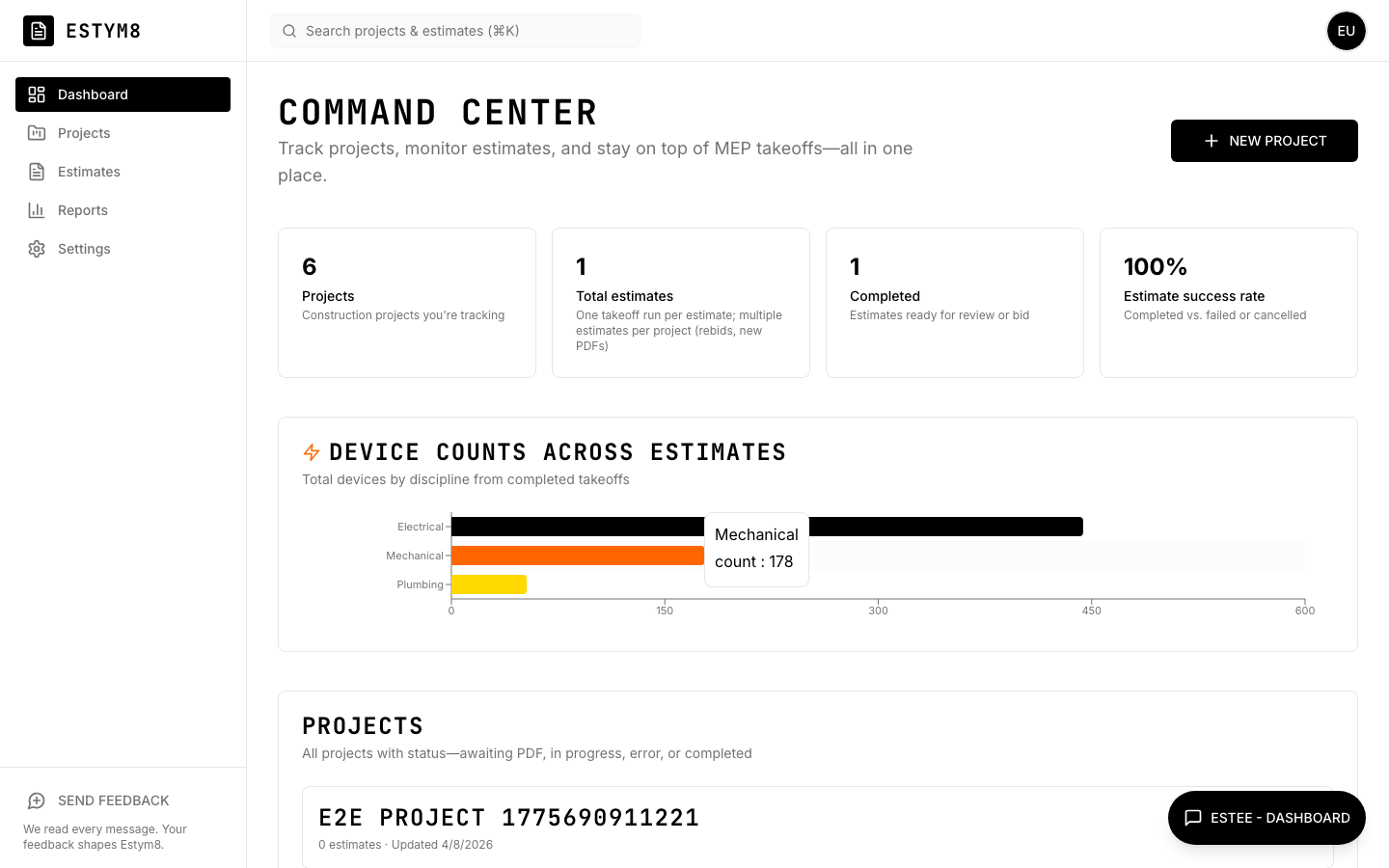
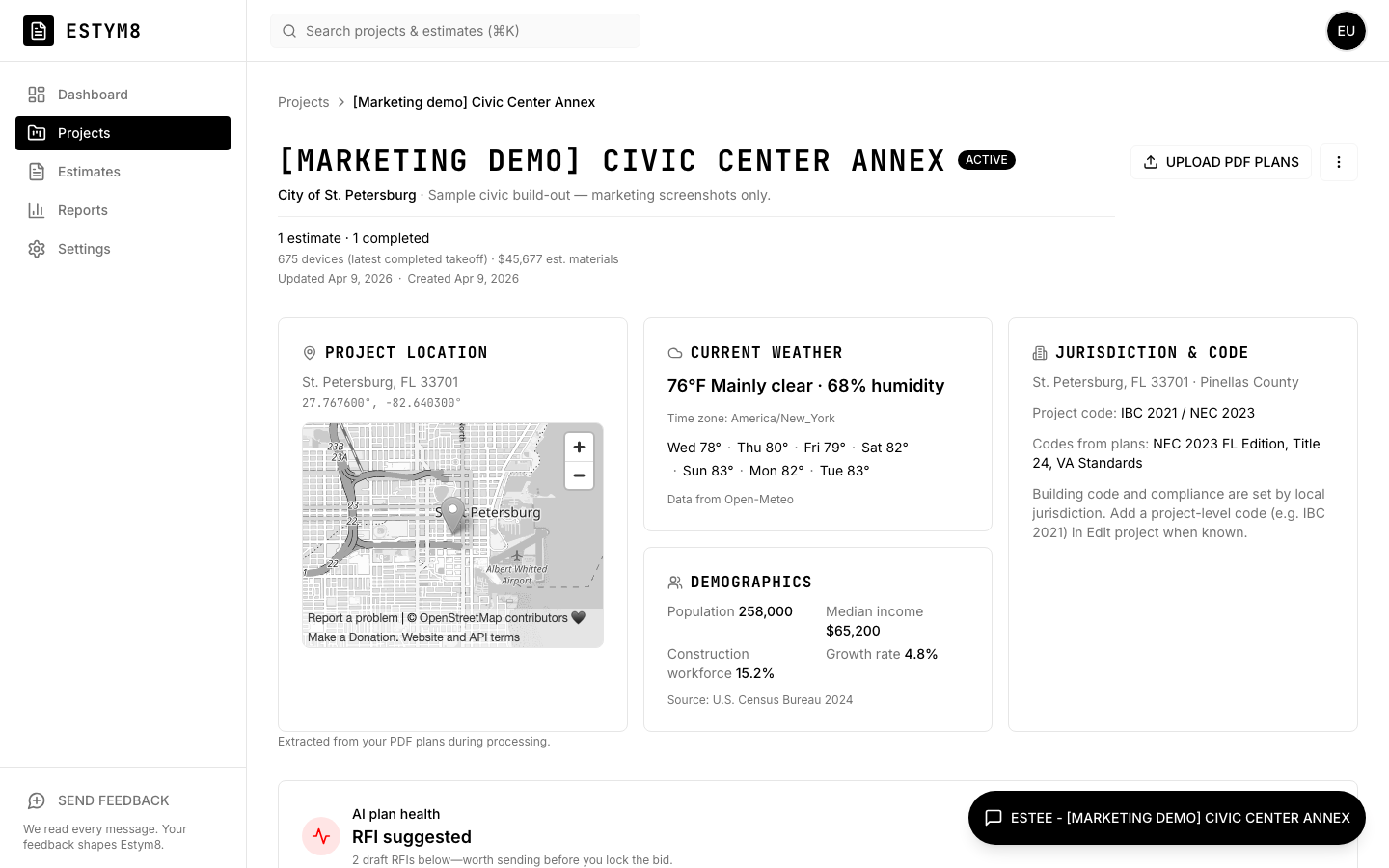
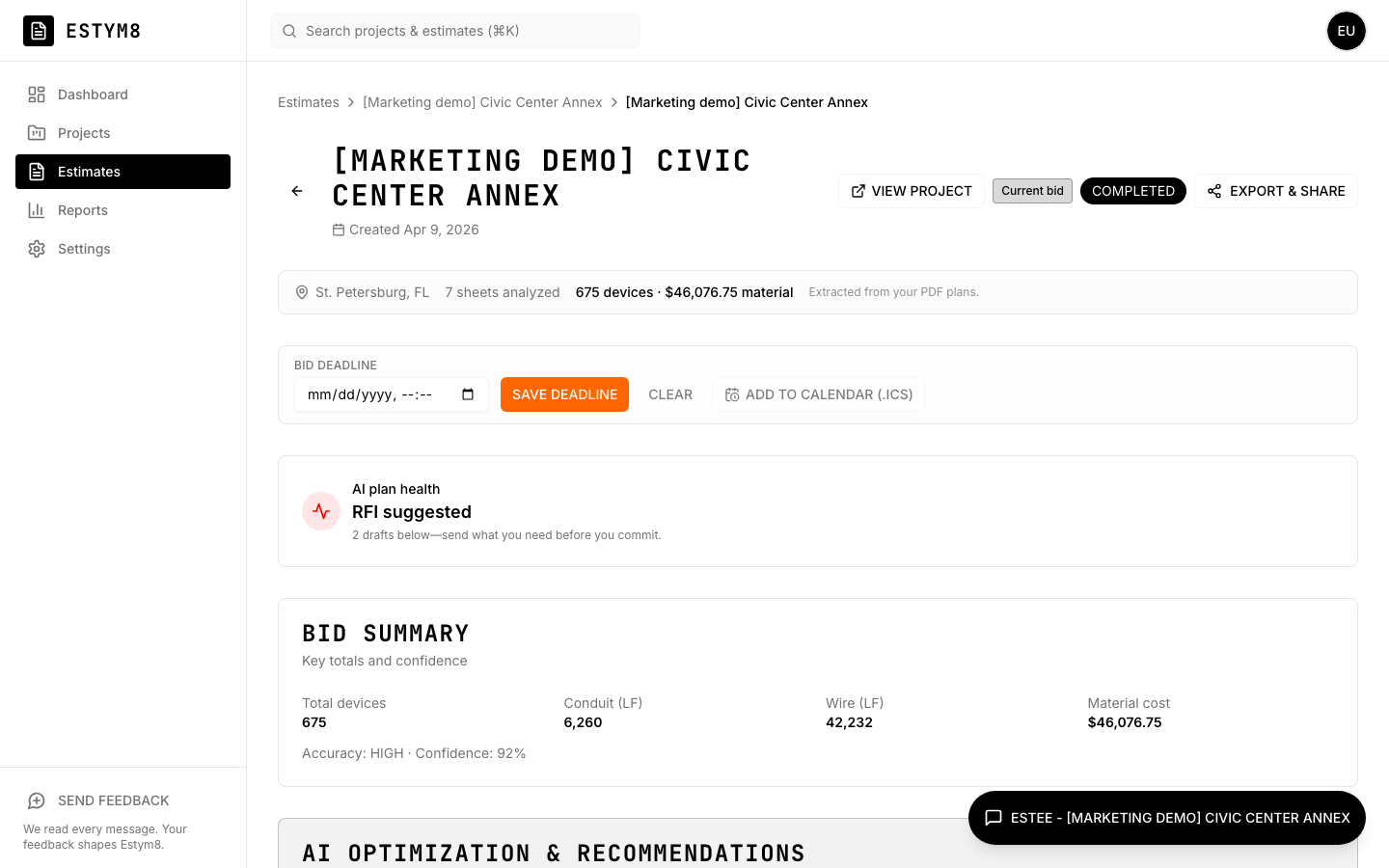
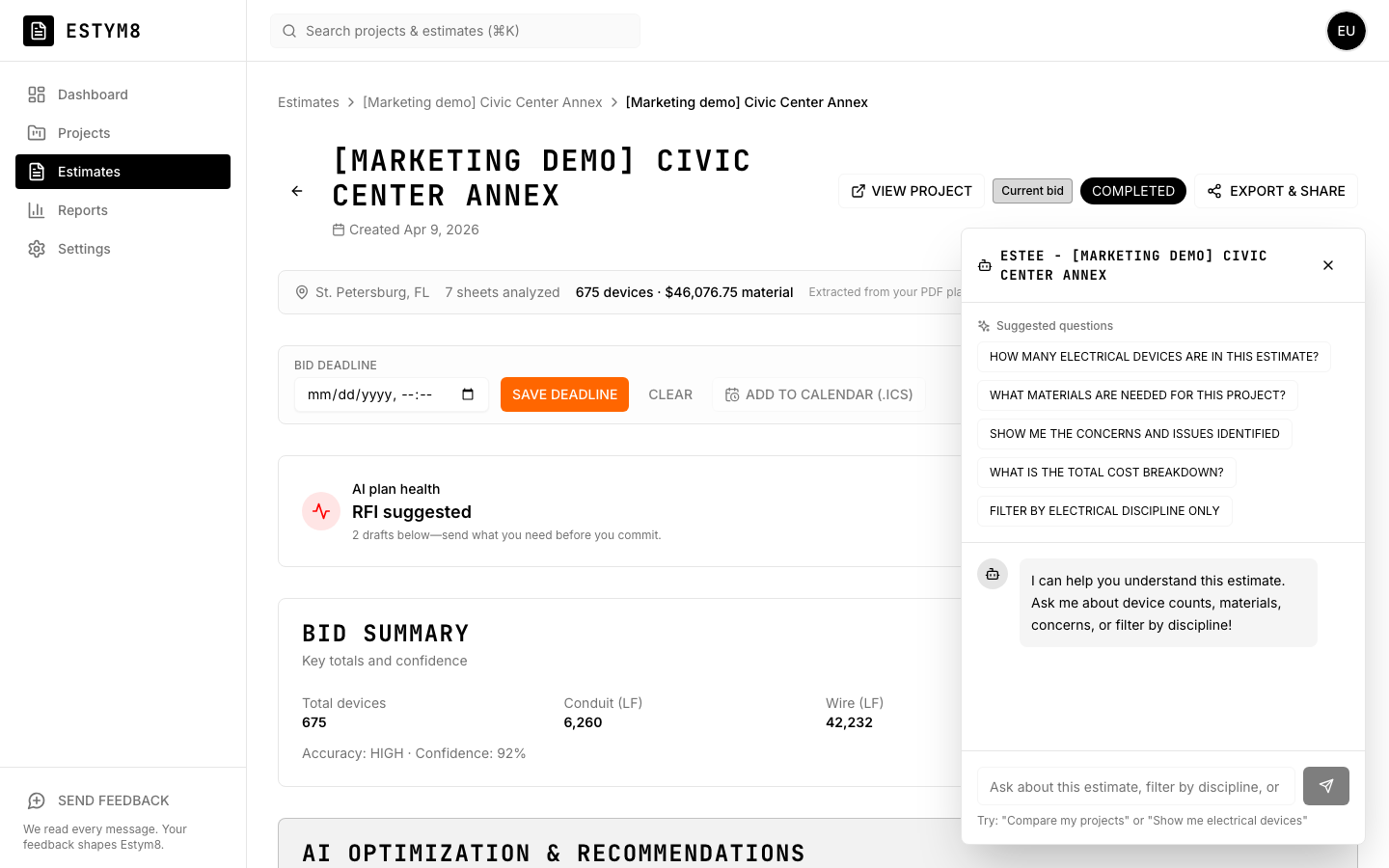
Command center with takeoff trends, project context (bid-package folder runs, per-file progress, AI project overview), a populated bid-ready estimate with workbook KPIs and hover provenance, and Estee—in-app on every screen. Re-capture these shots when the product UI shifts so marketing matches reality.
What Estym8 does
- Drop a folder or a single drawing PDF once. Estym8 classifies every file.
- Multi-trade takeoffs run where the drawings qualify — electrical, mechanical, plumbing, civil, architectural, structural, and more.
- Screen a job with ROM (rough order of magnitude) or WAG (wild-ass guess) before you spend bid-grade hours.
- Harvest what is printed on the sheets and flag code or jurisdiction mismatches across the set.
- Open the takeoff workbook with hover notes so quantities and dollars trace back to the drawings.
- Download a narrative report and, after the bid, submittal packages tied to the same lines.
- You still review, price, and own the number.
What Estym8 does not do
- Estym8 is not a replacement for the estimator.
- Estym8 does not auto-price or auto-submit the bid.
- Estym8 does not promise miracle-hour takeoffs on every set.
- Estee assists. Estym8 is the takeoff workflow, not a chatbot.
- Estym8 is not a workforce-reduction tool.
How to get access
Request access
Use your work email.Get confirmation
It arrives as soon as you submit.Wait for an invite
When a batch opens, we send a signup link.
Ask Estee to search and explain. She never owns the number.
Why Estym8 Beats the Rest
Most takeoff tools handle one slice—counts, or RFIs, or pricing—and leave you stitching the rest together in spreadsheets and email. Estym8 runs the full arc on a single upload: multi-trade takeoffs, the verbatim "As Printed on the Sheets" plan harvest, conflict and code-mismatch alerts, draft RFIs, and a downloadable multi-discipline narrative report. One source of truth for the whole bid.
Who we position against on this page: Trimble (Accubid / LiveCount) · Countfire · Beam AI · MEPdetect · KonstructIQ · OpenConstructionERP · Bluebeam (Revu) in the compare table; plus PlanSwift (opens in a new tab), STACK (opens in a new tab), and Gordian Flash AI Estimating (RSMeans) (opens in a new tab) in our written competitor analysis (not dropdown columns—different workflow lenses).
Compare: pick another product to see the same capabilities side by side with Estym8.
| Capability | Estym8 | Trimble (Accubid / LiveCount) |
|---|---|---|
| How it fits your process | One run: upload a bid-package folder or PDFs → classified files, project overview, and quantities where sheets qualify—less glue between counting, pricing, and review. | Drawing-centric estimating stack: assemblies, libraries, takeoffs—AI helps spot symbols; you still build and validate the bid inside the legacy workflow. |
| Whole bid-package folder | Native—drawings, spreadsheets, text, images; per-file classification, run plan, and AI project overview. | Drawing-first; package handling is mostly manual outside the core workflow |
| AI at the core | Built AI-native—not a manual workflow with AI patched in | Traditional workflow first; AI assists pieces (e.g. takeoff hints) |
| Quantities by trade | Yes—electrical, mechanical, plumbing, civil, architectural, and structural all on one pipeline (coverage and depth vary by sheet and trade) | Yes (quality varies) |
| Conflicts, RFIs & code gaps | Conflicts, draft RFIs, code-edition mismatch alerts, optimization, and cross-file synthesis—every claim ties back to a filename or printed sheet line | — |
| Time to bid-ready | ~15 min–2 hr per takeoff run (folders queue several; dense sets longer) | Manual / semi-automated |
| Chat with your plans | Estee: Q&A from your data; confirm-before-save updates on estimates (e.g. summary material overage) | — |
| Change orders & GC handoff | Change orders, multi-discipline narrative report (DOCX / PDF), exports, read-only GC link (no login) | Enterprise workflows |
Competitor info from public positioning (2024–2026). KonstructIQ is included as a financial-suite / residential-GC contrast (source (opens in a new tab))—not a takeoff-first tool. OpenConstructionERP is included as a self-hosted AGPL BOQ / construction-ERP contrast (source (opens in a new tab))—not Estym8's cloud bid-folder pipeline. Our written competitor analysis (shared on request) covers sourcing, caveats, and brands we track beyond this page. Line-by-line licensed catalog unit pricing for Estym8 is on the horizon but paused until cost-database licensing is in place—see What's on the horizon below.
What's on the horizon
These bullets are next chapters—additional depth on top of the live product. The paragraphs after the list summarize what already ships today.
- More precise measured square footage and lineal footage from the drawings, including CAD-linked alignment beyond today’s scale checks
- Line-by-line unit costs from a licensed construction cost catalog (after we license one)
- Richer cross-document checks on top of today’s conflicts, harvest, and quantity cross-checks
- Deeper spreadsheet and photo extraction as reviewer checklists, beyond classifying the folder
- CAD-linked sheet alignment and punch-style closeout, beyond overlay review
- Optional edits to the folder run plan (today the plan is generated automatically from classification)
- Takeoff math that applies local code amendments automatically — not only harvest citations and edition alerts
One suite.Multiple products.
- GC / estimator takeoff and estimate from plan sets and bid folders — including ROM/WAG screening and full bid-grade depth on the same takeoff path.
- ICT / low-voltage project brain → Basis of Design — sources and claims for security, AV, cabling, and Wi‑Fi scopes.
- Permit package review for jurisdictions.ColdEyes researches each draft finding and notifies staff or applicants.Humans approve, deny, or issue.Staff keep the stamp.
- Design agency / A/E firm pre-issue QA — coordination flags, checklist completeness, jurisdiction-style checks before seal or submit.
- Architect / developer early site read — parcel, plat, and zoning toward a buildable envelope.
Full portfolio map: suite docs.
Frequently asked questions
- Is Estym8 available to everyone?
- During testing, access is by approval. Request access from the site; after approval you can verify and run takeoffs like production users.
- What does Estym8 do?
- Estym8 analyzes construction plan sets and bid-package folders: we classify every file, produce an AI project overview (game plan, estimate strategy, file roles, likely gaps), and run takeoffs on eligible drawing PDFs.Estym8 classifies every file and runs takeoffs from eligible drawing PDFs across trades—electrical, mechanical, plumbing, civil, architectural, structural, and more—from one upload.Choose ROM / WAG screening depth for a fast chase-vs-pass read, or full bid-grade takeoff on the same takeoff path.Typical takeoff runs (one drawing PDF or one queued discipline bundle) take about 15 minutes to 2 hours, depending on page count, symbol density, and model path; dense MEP sets or follow-on passes can run longer.Full bid-package folders usually queue several jobs, so total wall time adds up across runs.Estym8 logs start/end times on completed jobs so we can publish tighter ranges as volume grows.On the project page you also get plan conflicts, draft RFIs, cross-file consistency intelligence, plan-harvest cross-checks (codes, jurisdictions, bundles), optimization notes, and a verbatim "As Printed on the Sheets" pass that lifts title block, code editions, cited guides, stamped lines, exceptions, and printed allowances directly from each PDF.On estimates, workbook KPI tooltips and materials or proposal rows explain where totals come from when you hover them.Download the whole story as a multi-discipline narrative report (Markdown / DOCX / PDF).Upload one PDF per run or a whole folder on a project.
- What is ROM / WAG screening?
- ROM / WAG screening on the same takeoff path — run a Rough Order of Magnitude (ROM) or wild-ass guess (WAG) when you need a fast chase-vs-pass read, then promote promising jobs to a full bid-grade takeoff without starting over.Labeled screening output, not a cheaper full estimate.
- What is the "As Printed on the Sheets" view?
- Verbatim "As Printed on the Sheets" pass—title block, applicable code editions, cited design guides, permit or jurisdiction lines, title-block stamp text when captured, exception clauses, printed allowances, calculation rules, and cross-sheet references lifted directly from each PDF (one focused pass per document) so every claim traces back to a sheet, not to model inference.
- What other products are in the suite?
- Estym8 is the primary takeoff and estimate product (including ROM / WAG screening).Peer products share the same plan-reading technology: Bodi (ICT / low-voltage project brain → Basis of Design), ColdEyes (jurisdiction permit review), PlanM8 (A/E pre-issue QA), and SiteM8 (parcel / zoning site read).See the suite map.
- Does Estym8 catch code or jurisdiction conflicts across plans?
- Plan-harvest cross-checks—when code editions, energy standards, cited design guides, or permit and jurisdiction text disagrees across sheets or across discipline bundles (or a title-block stamp disagrees with the bundle summary), Estym8 surfaces it in the folder digest so you can reconcile or RFI before bid day.
- Can I download a single hand-off document for a project?
- Multi-discipline narrative report—download a single Markdown / DOCX / PDF report that stitches the verbatim plan harvest, every completed takeoff, conflict log, draft RFIs, and bid-bucket reconciliation against engineer-printed totals (when fixture or equipment schedules are present) into one decision-ready package per project.
- Does Estym8 support submittal registers and merged PDFs after the bid?
- Submittal packages from the same estimate—link line items to the shopping-list BOM and to structured device-quantity rows from the Takeoff workbook, attach rows to your reusable submittal product catalog (with PDF cut sheets), export a register plus compliance and substitution matrix as Markdown, and download one merged PDF (cover, register, matrix, and attached datasheets).
- Can I see where workbook totals and materials dollars came from?
- Bid-number provenance on each estimate—the Takeoff workbook exposes KPI tooltips (devices, conduit, wire) and merges folder digest cross-checks when your project has them; materials lines and proposal roll-ups use the same hover pattern so quantities and dollars trace to takeoff blocks and pricing rules.
- Who is Estym8 for?
- Built for commercial, institutional, and larger multi-family teams bidding real plan sets—electrical and MEP subs, GC precon, and similar.Smaller residential-only remodels are a weaker fit until we ship depth aimed at that segment.Estimators, subcontractors, GC precon teams, and similar roles who want full-package intelligence (not only counts)—faster classification, a clear read on the job folder, and reviewable takeoffs where the drawings support them.
- How long does a takeoff take?
- Each queued run is usually one drawing PDF or a discipline bundle.Typical takeoff runs (one drawing PDF or one queued discipline bundle) take about 15 minutes to 2 hours, depending on page count, symbol density, and model path; dense MEP sets or follow-on passes can run longer.Full bid-package folders usually queue several jobs, so total wall time adds up across runs.Bid-package folders often schedule multiple runs, so total wall-clock time can add up—you’ll see progress per job in the app.
- Does a folder upload count as one takeoff?
- No.Folder ingest—classifying files, building the run plan, and the AI project overview—is part of the product experience.What counts toward plan limits are completed takeoff runs: each finished estimate from a discipline bundle or single-drawing action in the folder plan typically counts as one run.(Exact metering may evolve; we keep the pricing page aligned with how the app behaves.)
- What do Solo, Studio, and Firm include?
- Same core product: single-PDF uploads, bid-package folders, classification, project overview, conflict and RFI surfacing on runs, Estee (Q&A plus confirm-before-save edits on estimates where supported), and exports.Solo is one seat with 8–10 completed runs per month.Studio is 2–5 seats with pooled runs per seat.Firm (6–15 seats) and Enterprise are priced per seat with higher run allowances—contact us for onboarding.
- Does Estym8 replace an estimator?
- No.Estym8 accelerates the heavy lifting; the estimator stays in control—reviewing counts, adding contingency, and defending numbers on bid day.
- Where can I see pricing?
- Use the Pricing page for monthly or annual billing (annual saves about 12% vs a full year at the midpoint of each range).
- What can Estee do?
- Estee is Estym8’s assistant.On the public site she answers product and workflow questions.After you sign in, she chats from your projects and estimates—counts, materials, concerns, draft RFIs, conflicts, comparisons, and what’s printed on the sheets (codes, exceptions, allowances, manufacturers, code-edition mismatches).From an estimate she can propose changes with a clear preview; nothing is saved until you confirm (for example, a percentage on summary total material cost).Your existing Q&A behavior is unchanged; confirmations are extra.
Own bid day
Access is by approval. Request access, then review pricing anytime.